How to Evaluate an AI Tool Before You Trust It is written to answer a specific reader question with practical steps and clear limits. The guidance below avoids invented first-hand testing and points readers to official resources where product details can change.
Start with the job, not the hype
A new AI product can look impressive in a demo and still be a poor fit for everyday work. Start by writing down the exact job you want the tool to do: summarize meeting notes, draft email options, extract information from documents, create images, organize research, or help with code. A narrow task makes testing fair. It also stops you from paying for features that sound useful but never become part of your routine.
Create two or three realistic examples before you sign up. Use material that is not confidential. If the tool cannot handle a small representative task reliably, adding more data or upgrading to a paid plan will not automatically solve the problem.
Check the source of important claims
Treat product pages as a starting point rather than independent proof. If a provider says a feature is available, check the help center, release notes or account settings and note whether the feature depends on region, plan or device. For claims about privacy, security, data retention or commercial use, read the provider’s current documentation instead of relying on an old blog post.
When an AI tool produces factual text, verify names, dates, calculations and citations. Fluent wording can hide a wrong answer. A useful test is to ask questions for which you already know the answer, then see how the system handles uncertainty and corrections.
Test quality with the same inputs
Consistency matters more than one excellent result. Run the same kind of task several times with slightly different inputs. For writing, compare factual accuracy, editing effort and whether the output follows your instructions. For research tools, open the cited sources. For image tools, inspect text rendering, unwanted artifacts and licensing guidance. For business workflows, record how much time the tool actually saves after review and correction.
Keep a simple scorecard: task success, time saved, editing needed, privacy risk, export options and cost. A scorecard makes it easier to compare two tools without being distracted by branding.
Review privacy and account controls
Before uploading documents, look for controls covering chat history, model training, connected apps, file retention, team permissions and account deletion. Do not upload passwords, private client files, unpublished contracts, financial records or other sensitive information simply because a tool accepts files. Use a sanitized sample first.
If the tool connects to email, cloud storage or a browser, review what permissions it requests. A useful feature can still have access that is broader than you expected. Remove unused integrations and use multi-factor authentication when the provider supports it.
Decide whether the paid plan solves a real limit
A free plan is often enough to test workflow fit. Upgrade only when you can name the specific limitation that is costing you time or blocking useful work, such as file size, export format, usage limits, collaboration controls or a required business feature. Re-check pricing on the official site before purchasing because plan names and limits change.
The best AI tool is not the one with the longest feature list. It is the one that completes a defined job reliably, fits your privacy requirements, is easy to leave if necessary, and does not create more review work than it saves.
Official resources
Key takeaway
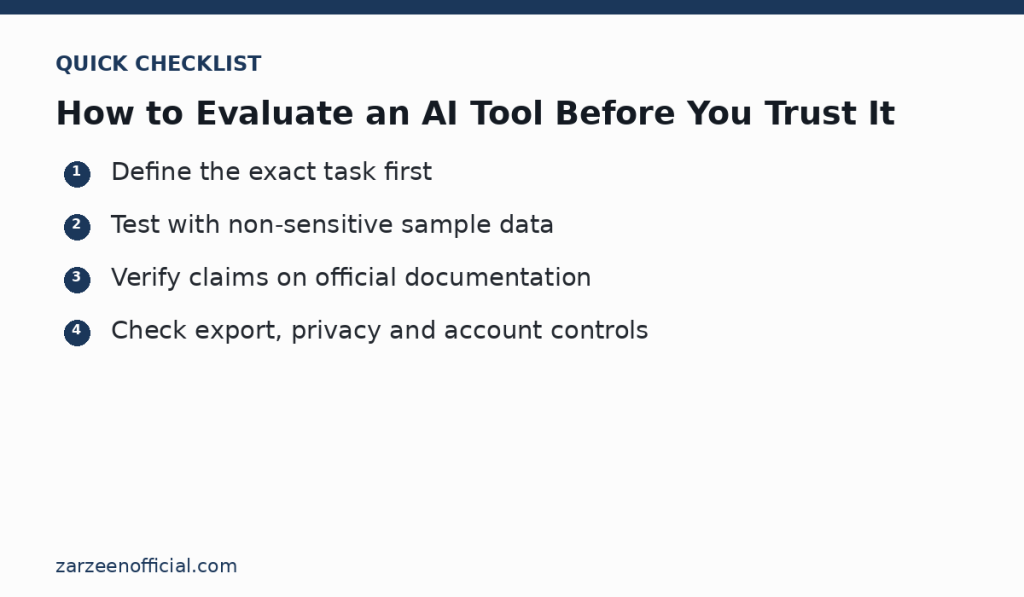
Define the exact task first Test with non-sensitive sample data. Use the official links above when a feature, price, policy or security detail may have changed.